
WhatsApp Business API Guide 2026 | Setup, Pricing & Use Cases
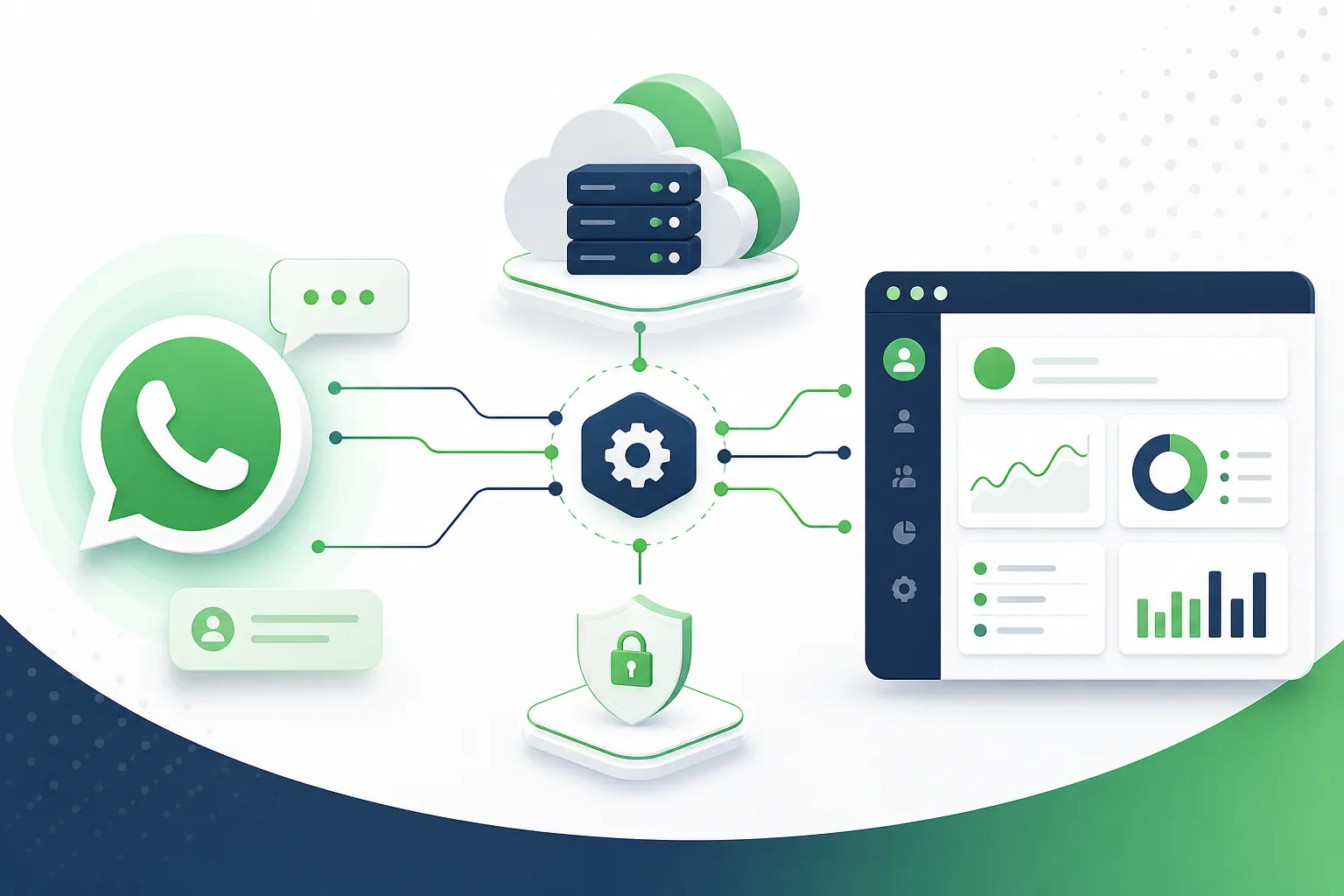
If your business is messaging hundreds of customers a day, sending order updates, or running any kind of automated chat, you've likely hit the ceiling of the free WhatsApp Business app. The WhatsApp Business API is built for exactly that scale, with automation, multi-agent support, and integrations the consumer app doesn't offer.
🔥 WhatsApp Business App vs. Business API
- The app is one phone, one login, with basic quick replies, fine for solo owners and very small teams
- The API supports multiple agents, full automation, AI chatbots, and CRM or helpdesk integrations
- Once you need automation or a verified green tick for trust, you need the API, not the app
🛠️ 1) How to Get Access: Setup Steps
Best for: businesses applying for API access for the first time.
- Set up a Meta Business Manager account, then choose direct Cloud API access or a Business Solution Provider
- Verify your business with legal name, address, and supporting documents before full access is granted
- Register your number, get message templates approved, then integrate with your CRM or automation tools
SEO keywords: whatsapp business api, whatsapp business platform, whatsapp api setup
📋 2) Templates, Session Windows, and Core Use Cases
Best for: teams planning their first automated campaigns.
- Session messages are free-form within 24 hours of a customer's last message, no template needed
- Anything outside that window needs a pre-approved template, categorized as utility, marketing, or authentication
- Core use cases: order and shipping notifications, support automation, appointment reminders, cart recovery
SEO keywords: whatsapp automation, whatsapp cloud api, whatsapp business verification
⚠️ 3) Compliance Rules and Choosing a Provider
Best for: teams avoiding number restrictions.
- Explicit opt-in is required before sending template messages; purchased contact lists are a policy violation
- Meta tracks quality ratings based on blocks and complaints, which can throttle your ability to send
- Choose a provider with native AI chatbot capabilities, clean CRM integration, and transparent template support
SEO keywords: whatsapp message templates, business solution provider, whatsapp green tick
❓ FAQs
- Can I keep using the free app instead? Yes, if you have low volume and one person managing it
- Do I need a developer to set it up? Not necessarily, with a managed Business Solution Provider dashboard
- Can I migrate my existing number? In many cases yes, but it can no longer use the standard app afterward
Common Setup Mistakes to Avoid
- Skipping business verification early, since it can take time to process
- Writing overly promotional templates that get repeatedly rejected
- Building automation without a human fallback for cases the AI can't resolve
Final Take
The WhatsApp Business API is the foundation for any serious WhatsApp strategy, from automation and AI chatbots to CRM integration and multi-agent support. Caxtra handles WhatsApp Business API setup, verification, template strategy, and the AI automation layered on top as one connected system.
Related Services
Explore Caxtra services connected to this topic.
Need help with this?
Our team specializes in ai development services and can help you plan, build, and launch the right solution for your business.

Caxtra
Company
Related Articles

WhatsApp Abandoned Cart Recovery | The 2026 Playbook to Win Back Sales
Recover lost sales with WhatsApp abandoned cart automation. Proven message timing, templates, and compliance tips to win back checkouts in 2026.
Conversational Commerce on WhatsApp | The Complete 2026 Guide
Learn how conversational commerce on WhatsApp drives sales in 2026 catalogs, AI chat checkout, cart recovery, and a step-by-step rollout plan.